


Dark Web Browser : OrNET
4.4546.00 Reviews
App Specs
- Version
- 1.9.68
- Updated On
- License
- Free
- Downloads
- 1,000,000+
- Developer
- Stronger Apps
- Categories
- Communication
- Platform
- Android
Screenshots
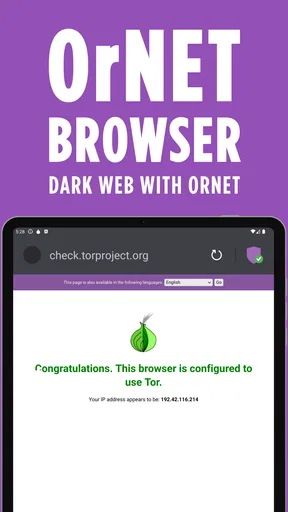
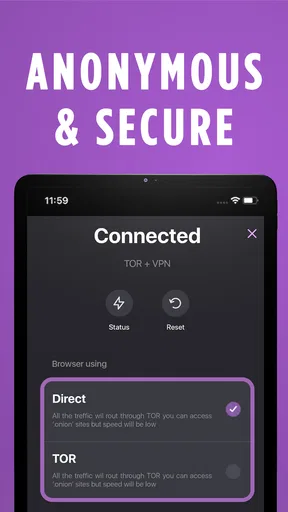
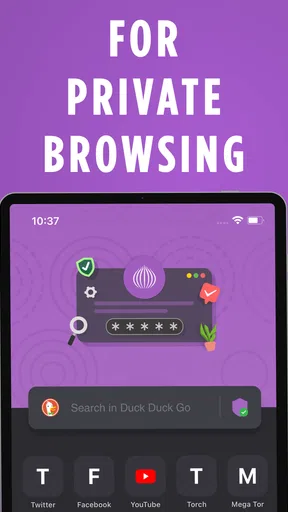
 Analysis by AppCompare
I approach a dark-web browser differently from the one I use to check the weather or read the news. The goal is not simply to open pages quickly; it is to understand what kind of browsing environment I am entering, what privacy protections are being offered, and where my own judgment still matters. Dark Web Browser: OrNET is aimed at people who want that dedicated route from a phone, without having to treat ordinary browsing as the same thing.
That distinction matters in practice. A specialized browser can make a less familiar kind of access feel approachable, but it does not make every destination safe or every claim about privacy automatic. I would use OrNET for deliberate exploration and learning, not as a substitute for careful security habits or a general-purpose browser for every online task.
Choosing the right starting point
OrNET is a free communication app from Stronger Apps, and it has a 4.4 average from around 26,000 ratings. More than a million people have installed it, which gives a new user some reassurance that it is not an obscure one-off download. It is rated for Everyone, though that age label should not be mistaken for a promise that every site reached through a browser will be suitable for every reader.
The app’s current version is 1.9.42, and it runs on Android 8.0 or later. That makes the basic compatibility question easy to answer: check your Android version before installing, then decide whether a dedicated dark-web browser fits what you want to do. OrNET is free to start, with in-app purchases listed from $4.99 to $39.99 per item, so I would look at any purchase prompt carefully rather than assume every option is included at no cost.
From opening the app to exploring carefully
When I picture a sensible first session, I start with a clear purpose rather than a vague urge to click around. Maybe I am trying to understand how privacy-focused networks differ from the regular web, or I have a specific public-interest resource I want to inspect. A defined goal makes it easier to leave a page that looks unreliable instead of following a trail of attention-grabbing links.
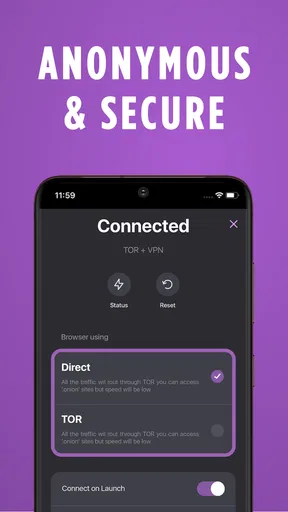
The app is presented as a browser with VPN support, and that combination is its main appeal. The browser gives you a place to navigate; the VPN is an additional privacy layer. I would treat those as useful tools, not as a guarantee of anonymity. A VPN does not make a questionable page trustworthy, prevent every form of tracking, or protect information that I choose to type into a site.
My practical routine would be to open only the pages relevant to the task, avoid entering identifying details, and close anything that asks for information without a convincing reason. I would also keep dark-web browsing separate from routine logins and personal errands. That separation is not a magic security boundary, but it reduces the chance of mixing a sensitive browsing session with accounts and habits that identify me.
Worth Reading Before You Choose

EA SPORTS FC Mobile 26 Is a Bigger Football Game, but It Takes Time

Flipboard Shows What News Apps Must Do Beyond the Feed

Switching to Android Auto Means Rethinking Your Driving Routine

Google Calendar Makes a Crowded Week Easier to Manage

Ludo King Makes the Most of the Minutes Between Plans

Baby Panda World Brings Quick Play to Modern Phones, but Its Game Library Feels Busy
Where tabs help—and where judgment takes over
Multiple tabs are useful when I need to compare sources without losing the page I started from. For example, I could keep a reference page open while checking a second resource, then return to the first to compare what each actually says. That is more disciplined than following every link in sequence, where it becomes easy to forget how I reached a claim or whether it came from a reliable source.
A less obvious benefit of keeping the session small is that it makes review easier. If a page starts redirecting, asking for downloads, or pushing me toward an unrelated destination, I can close that tab and retain the original task in another. Tabs are convenient, but they are not a safety feature by themselves; the useful habit is to open only what I can keep track of and to leave when a page changes the terms of the visit.
For a realistic everyday example, imagine I am reading about online privacy during a commute and want to compare a few resources later at home. I would avoid doing anything sensitive on a shared or public connection, keep the session limited to reading, and make a note of source names rather than saving unknown files. When I return to the topic, I can verify important claims through trusted sources on the regular web. That handoff—from exploration to verification—is more valuable than assuming a page is accurate just because it is harder to find.
What it does not replace
Compared with a standard mobile browser, OrNET is the more focused option when the goal specifically involves dark-web access and a VPN layer. A regular browser is usually the simpler choice for everyday searches, shopping, banking, and familiar websites. If I only want ordinary privacy features while browsing mainstream pages, a well-known browser with clear privacy controls may be a better fit than adding a specialized tool to my routine.
It also should not be confused with a complete security suite. I would not rely on the word “VPN” alone to decide what the app protects, and I would not use any browser as permission to ignore suspicious downloads, misleading forms, or unfamiliar payment requests. The safer workflow is to minimize personal information, avoid installing files from untrusted pages, and leave when a site behaves in a way I did not expect.
Getting Started with OrNET
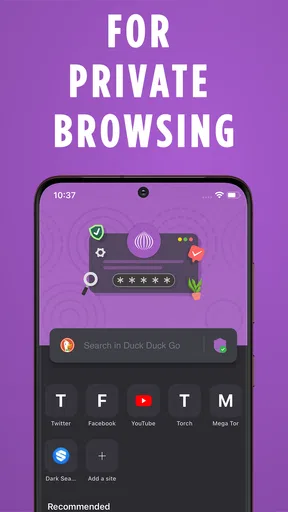
So, what’s the deal with this browser? Well, installing Dark Web Browser: OrNET is as easy as pie. Just head over to your app store, download, and boom—you’re ready. The app’s interface is surprisingly clean and user-friendly. I mean, given its mysterious nature, you’d expect something a bit more complicated, but nope! It’s straightforward and intuitive.
Features that Stand Out
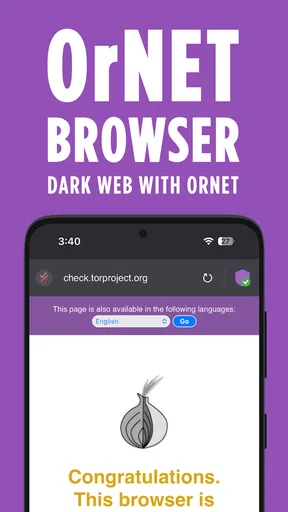
Now, let’s talk features. OrNET doesn’t just open up the dark web; it opens up a world of possibilities. You can explore anonymously, which is a huge plus if you’re concerned about privacy. It’s like being a ghost in the machine—no one knows you’re there.
Another cool feature is the built-in VPN. It’s like having a digital invisibility cloak. This VPN masks your IP address, providing an extra layer of security. You know, just in case you stumble upon something you’d rather keep private.
The browser also supports multiple tabs. This might sound basic, but trust me, when you’re deep-diving into the abyss of the internet, having multiple tabs is a lifesaver. It’s like having a library of knowledge at your fingertips, and you can flip through books without losing your place.
Why You Might Love It
Here’s the thing: if you’re someone who loves exploring the unknown, this app is for you. It’s not just about access; it’s about discovery. You can find forums, marketplaces, and a plethora of content that you won’t see on the regular web. It’s like stepping into an alternate universe.
Plus, OrNET is pretty swift. I expected it to be slow, given that it’s tunneling through layers of anonymity, but the browsing speed is impressive. You won’t be stuck watching a spinning wheel for eternity, which is always a win in my book.
Some Considerations
Now, before you dive in headfirst, a word of caution. The dark web isn’t all fun and games. While OrNET provides access, it’s up to you to navigate wisely. There are parts of the dark web that are sketchy, to say the least. So, it’s essential to keep your wits about you and surf responsibly.
Another thing—because this app allows access to the dark web, it might not be suitable for everyone. It’s like a rollercoaster; thrilling for some, but not for the faint-hearted. If you’re up for an adventure, though, it’s worth checking out.
Final Thoughts
In a nutshell, Dark Web Browser: OrNET is a fascinating tool for anyone eager to explore the unknown. It’s simple, secure, and surprisingly fast. Just remember, with great power comes great responsibility. Use it wisely, and you’ll uncover a whole new side of the internet you never knew existed.
Whether you’re a tech enthusiast, an adventure seeker, or just plain curious, OrNET offers a unique browsing experience. So, buckle up and enjoy the ride through the digital shadows. Happy exploring!
Making the handoff from browsing to a useful result
The outcome I would aim for is not simply a collection of open pages. It is a clearer understanding of a topic, supported by information I can check elsewhere. If I find a lead that seems important, I would note what it claims and then seek corroboration from reputable sources. That final step matters because an unusual address or a confident-looking page does not establish that its content is accurate.
This approach is especially useful for students, journalists, and privacy-minded readers who have a specific research question and are comfortable evaluating sources. OrNET is less suitable for someone who expects a one-tap shield for all online activity, wants a polished everyday browser for ordinary errands, or is not prepared to leave a page when it becomes suspicious. Curiosity is a reasonable starting point; having a stopping rule is just as important.
Small habits that reduce avoidable friction
Before a session, I would decide what I am looking for and how long I intend to spend on it. That sounds basic, but it prevents aimless browsing from turning into a string of unrelated pages. I would also avoid keeping sensitive personal accounts open alongside an exploratory session, and I would not reuse passwords or provide personal details simply because a page presents a form.
If a page is slow or fails to load, I would not immediately assume that the app is broken or keep tapping the same link. Network-based browsing can be less predictable than opening a familiar mainstream site, and repeated attempts can lead to confusing redirects or duplicate tabs. I would return to the starting point, check whether the address was entered correctly, and move on if the destination still behaves oddly.
Downloads deserve an especially cautious approach. A browser’s privacy tools do not tell me whether a file is safe, and a file that looks relevant can still be unwanted or harmful. For a reading-focused session, I would prefer to view information in the browser and avoid opening unknown files. If downloading is essential, I would first consider whether the source is trustworthy and whether I actually need the file on my device.
Who should choose it—and who should pass
I can see OrNET making sense for an adult who wants a straightforward mobile entry point for deliberate dark-web browsing and understands that privacy tools have limits. The combination of a browser and VPN support is convenient when those are the specific needs, and the tabbed layout suits research that involves comparing a few pages at a time. The app’s free starting point also makes it possible to consider it without paying upfront, while the listed in-app purchases are worth checking before opting into anything.
I would steer a casual user toward a conventional browser for routine web use. If the main need is protecting ordinary browsing, the simpler choice may be a familiar browser with privacy settings that are easy to understand. I would also suggest skipping OrNET if the idea of encountering unreliable or disturbing material feels uncomfortable, or if the user expects the app itself to make judgment calls on their behalf. Access and discernment are different things.
For parents, the Everyone content rating describes the app’s age classification, not a guarantee about every destination reachable through it. I would not treat that label as a reason to hand it to a child for unsupervised exploration. The browser can open a broad range of material, so the person using it needs to understand the risks and boundaries of the activity.
My bottom line after weighing the trade-offs
OrNET’s appeal is its focused setup: a mobile browser for exploring less familiar parts of the internet, with VPN support and multiple tabs in the same app. Its strongest use is a planned session where I know what I want to learn, keep the browsing contained, and verify anything important through reliable sources. Its weakest use is careless, open-ended clicking under the assumption that a privacy layer makes every destination safe.
I would recommend it to a curious, cautious reader who wants to explore with a purpose and is willing to manage the risks personally. I would not recommend it as an all-purpose replacement for a regular browser or as a guarantee of complete anonymity. Used with realistic expectations, OrNET can make a specialized kind of browsing more approachable; the quality of the result still depends on what I choose to open, what I refuse to share, and when I decide to stop.
Pros
- Fast browsing with enhanced privacy.
- User-friendly interface for easy navigation.
- Built-in VPN for secure connections.
- No ads for uninterrupted surfing.
- Supports multiple tabs efficiently.
Cons
- Limited customization options.
- Occasional connectivity issues.
- Drains battery quickly on long use.
- Limited customer support availability.
- No integrated download manager.
FAQs for Dark Web Browser : OrNET
What is Dark Web Browser: OrNET used for?
Dark Web Browser: OrNET is designed for users who want to access the dark web securely and anonymously. It leverages the Tor network to ensure privacy, allowing users to explore hidden websites that aren't indexed by standard search engines. This app is ideal for those interested in maintaining anonymity while browsing.
Is Dark Web Browser: OrNET safe to use?
Safety is a top priority for Dark Web Browser: OrNET. The app uses advanced encryption and routes your internet traffic through multiple servers to protect your identity. However, users should still exercise caution when accessing the dark web, as it's known for hosting illegal content and activities.
Can I download Dark Web Browser: OrNET on both Android and iOS?
Yes, Dark Web Browser: OrNET is available for download on both Android and iOS platforms. You can find it on the Google Play Store for Android devices and the Apple App Store for iOS devices, ensuring a wide range of users can access the app's features.
What features does Dark Web Browser: OrNET offer?
Dark Web Browser: OrNET provides features such as anonymous browsing, multi-layer encryption, and access to .onion sites. It also includes a built-in ad blocker and tracker protection, enhancing your privacy and security while browsing the dark web. These features make it a comprehensive tool for privacy-conscious users.
Are there any legal concerns with using Dark Web Browser: OrNET?
While using Dark Web Browser: OrNET itself is not illegal, accessing certain content on the dark web may be. Users should be aware of their local laws regarding dark web access and ensure they are not engaging in illegal activities. It's crucial to use the app responsibly and ethically.


